ZZ-2 ZW-GMLCv2 Bruksanvisning
ZZ-2 ej kategoriserat ZW-GMLCv2
Läs gratis den bruksanvisning för ZZ-2 ZW-GMLCv2 (4 sidor) i kategorin ej kategoriserat. Guiden har ansetts hjälpsam av 17 personer och har ett genomsnittsbetyg på 4.6 stjärnor baserat på 6 recensioner. Har du en fråga om ZZ-2 ZW-GMLCv2 eller vill du ställa frågor till andra användare av produkten? Ställ en fråga
Sida 1/4
P
P
P
PPlug
lug
lug
lug lug & Play
& Play
& Play
& Play& Play, OE
, OE
, OE
, OE , OE Ligh
Ligh
Ligh
LighLight-Co
t-Co
t-Co
t-Cot-Contro
ntro
ntro
ntrontroller for
ller for
ller for
ller for ller for fac
fac
fac
facface-lif
e-lif
e-lif
e-life-lift GM v
t GM v
t GM v
t GM vt GM vehi
ehi
ehi
ehiehic
c
c
cc
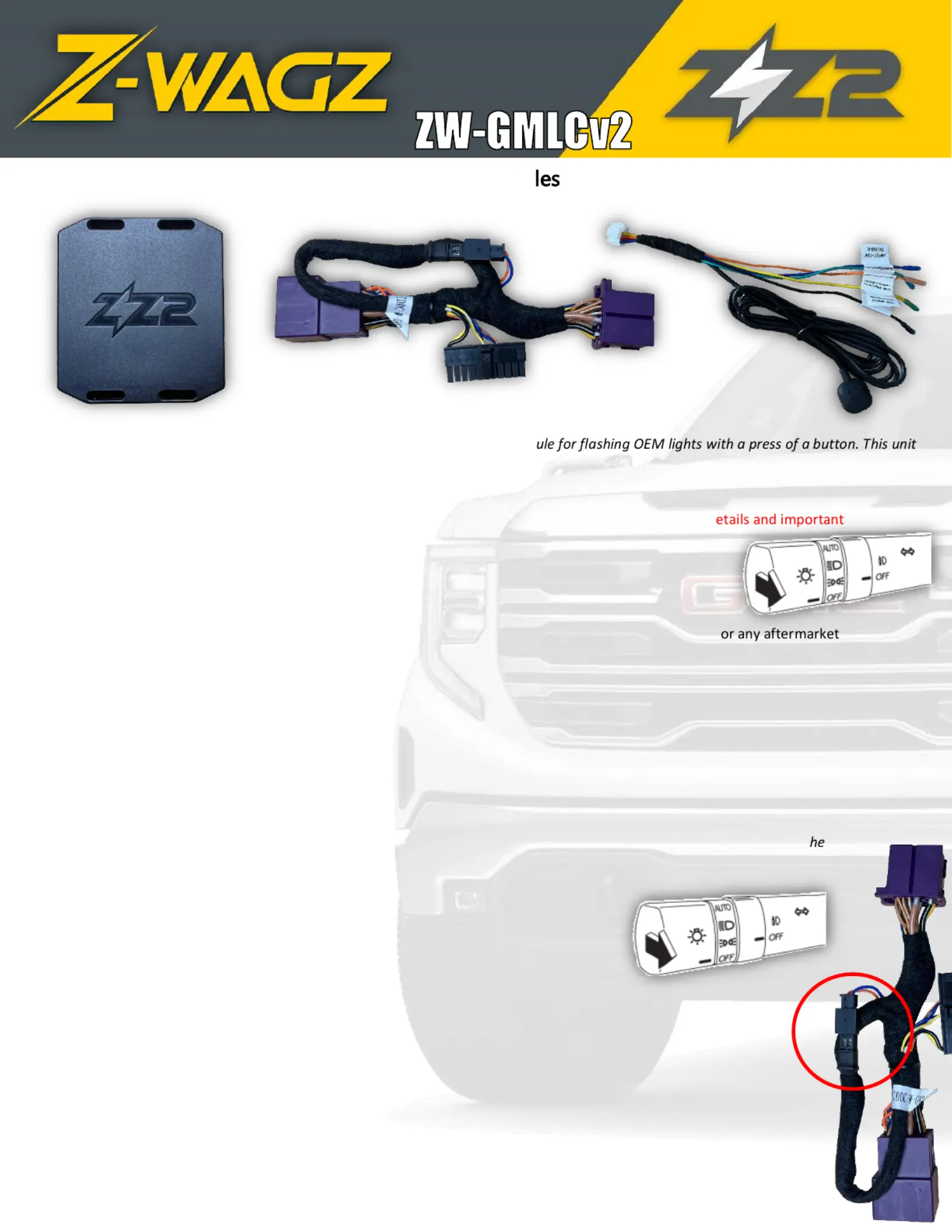
Thank you for purchasing a genuine Z-WAGZ unit, the simplest Plug & Play mod
comes pre-programmed with 3 different light patterns, some for halogen systems & some for LED systems.
Operation for all GM trucks is the same :
1.Install the Z-WAGZ unit to the OE Light Control Module. Follow instructions on page 2 for more d
information.
2.Turn Ignition ON or start vehicle (Ignition must be on for proper operation)
3.To activate Z-WAGZ:
oPress and HOLD the lever (5 sec) high beamOR
oPress and HOLD the provided push button (3 sec) OR
oSend a (+) signal to the (designed to be extended for OE -fitter switches12vblue wireup
toggle) OR
oPress LOCK>UNLOCK>LOCK>UNLOCK on the key fob (dip switch 6 must be ON, ignition is NOT required for
this method)
Pattern 1 will begin to flash. Once pattern 1 begins, the turn signal indicators in the gauge cluster will blink 1 time then stay
solid, indicating Pattern 1 has been selected. The LED on the unit will blink . BLUESee chart on page 4 for remaining pattern
color indication.
4.To switch to Pattern 2: (Pattern 1 must be currently active)
oEngage either turn signal, then press and HOLD the lever once more (5 sec)high beam. OR
oPress & release the provided push button one time
The turn signals will blink twice (then stay solid) indicating Pattern 2 has been selected. Repeat this process to switch to t
next pattern.
5.To deactivate Z-WAGZ:
oPress and HOLD the lever (5 sec) high beamOR
oPress and HOLD the provided push button (3 sec) OR
oRelease (+) signal to the (if connected this way) 12vblue wireOR
oTurn vehicle OFF
GENERAL NOTES:
•Disconnecting the attached 120 OHM resistor from the 2-pin harness is for higher-equipped trims (example:
with SuperCruise).
•Vehicles equipped with LED lights should use LED patterns. Vehicles equipped with standard bulbs should
use bulb patterns but may get away with LED patterns (although some consistency may be lost).
•Not all lights on the vehicle are necessarily used, some lights are not controllable via CAN data commands.
•Z-WAGZ will retain the last used pattern, even after being disconnected from the harness (if ever) .
•Turn signals, headlights & reverse lights will override pattern flashing when used, until turned off again .
•Lights on the external mirrors will only flash if connected with turn signals.
•‘Plow Mode’, when active (INPUT 2), disables High & Low beam flashing and slows the pattern down so that
the relay box (plow module) can keep up with the flashing (prevents overheating).
Activation Switch
and I/O Harness
ZW- GMLCv2
T-Harness
Produktspecifikationer
| Varumärke: | ZZ-2 |
| Kategori: | ej kategoriserat |
| Modell: | ZW-GMLCv2 |
Behöver du hjälp?
Om du behöver hjälp med ZZ-2 ZW-GMLCv2 ställ en fråga nedan och andra användare kommer att svara dig
ej kategoriserat ZZ-2 Manualer

31 Augusti 2025
ej kategoriserat Manualer
Nyaste ej kategoriserat Manualer
3 April 2026
3 April 2026
3 April 2026
3 April 2026
3 April 2026
3 April 2026
3 April 2026
3 April 2026
3 April 2026