StarTech.com SM2DUPE11 Bruksanvisning
StarTech.com Inte kategoriserad SM2DUPE11
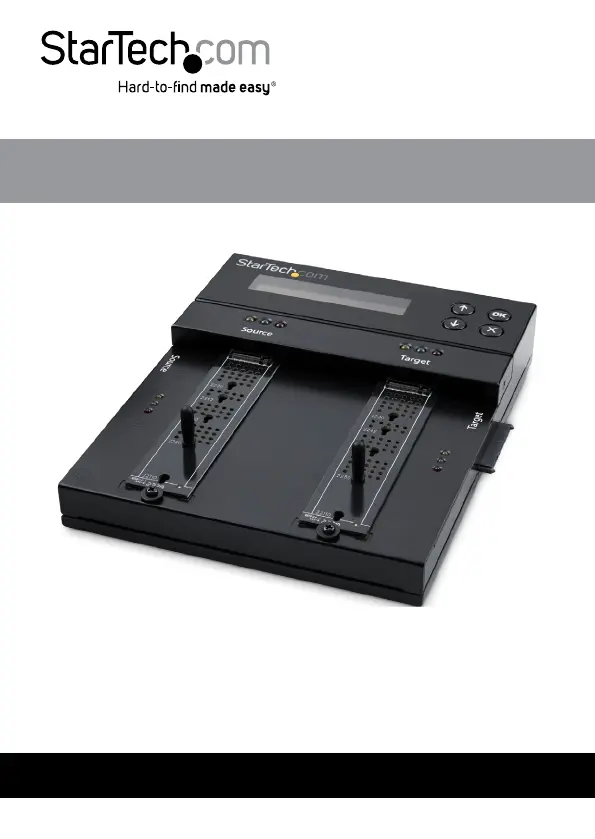
Läs gratis den bruksanvisning för StarTech.com SM2DUPE11 (2 sidor) i kategorin Inte kategoriserad. Guiden har ansetts hjälpsam av 18 personer och har ett genomsnittsbetyg på 4.6 stjärnor baserat på 5 recensioner. Har du en fråga om StarTech.com SM2DUPE11 eller vill du ställa frågor till andra användare av produkten? Ställ en fråga
Sida 1/2
Produktspecifikationer
| Varumärke: | StarTech.com |
| Kategori: | Inte kategoriserad |
| Modell: | SM2DUPE11 |
| Produkttyp: | HDD-/SSD-duplikator |
| Vikt: | 1200 g |
| Höjd: | 95 mm |
| Förpackningens bredd: | 235 mm |
| LED-indikatorer: | Ja |
| Gränssnitt: | SATA |
| Uteffekt: | 5 A |
| Överföringshastighet: | 7.5 GB/min |
| Produktens färg: | Svart |
| bruksanvisning: | Ja |
| Låddjup: | 465 mm |
| Vikt inkl. förpackning: | 3000 g |
| Ytterförpackningens höjd: | 330 mm |
| Produkter per ytterförpackning: | 6 styck |
| Ytterförpackningens längd: | 520 mm |
| Produkter per lastpall: | 6 styck |
| Ytterförpackningens bredd: | 520 mm |
| Typ av strömkontakt: | Typ M |
| Strömförbrukning (vanlig): | 60 W |
| Produktstorlek (BxDxH): | 208 x 181 x 29 mm |
| Temperatur vid drift: | 5 - 45 ° C |
| Temperaturintervall (förvaring): | -20 - 85 ° C |
| Intervall för relativ operativ luftfuktighet: | 20 - 80 % |
| Hållbarhetscertifiering: | CE, RoHS |
| Utgångsspänning: | 12 V |
| AC-inspänning: | 110 - 240 V |
| Material, hölje: | Metall |
| Kabel inkluderad: | AC, SATA |
| AC-adapter inkluderad: | Ja |
| Displaytyp: | LCD |
| Ingående ström: | 1.4 A |
| HDD-gränssnitt som stöds: | SATA |
| Typer av nätkontakter som ingår: | ANZ, EU, JP, NA, UK |
| Paketlängd: | 236 mm |
| Antalet samtidiga kopior: | 1 kopior |
| Hårddiskstorlek som stöds: | 2.5, 3.5 " |
| Dupliceringsapparatens driftlägen: | Copy, Erase |
| Högsta lagringskapacitet: | 16 TB |
| Solid-state drive-gränssnitt: | M.2 |
| Antal skydd som ingår: | 2 |
Behöver du hjälp?
Om du behöver hjälp med StarTech.com SM2DUPE11 ställ en fråga nedan och andra användare kommer att svara dig
Inte kategoriserad StarTech.com Manualer

18 Mars 2025
18 Mars 2025
3 Januari 2025
2 Januari 2025
2 Januari 2025
2 Januari 2025
2 Januari 2025
2 Januari 2025
2 Januari 2025
2 Januari 2025
Inte kategoriserad Manualer
Nyaste Inte kategoriserad Manualer
9 April 2025
9 April 2025
9 April 2025
9 April 2025
9 April 2025
9 April 2025
9 April 2025
9 April 2025
9 April 2025
9 April 2025